
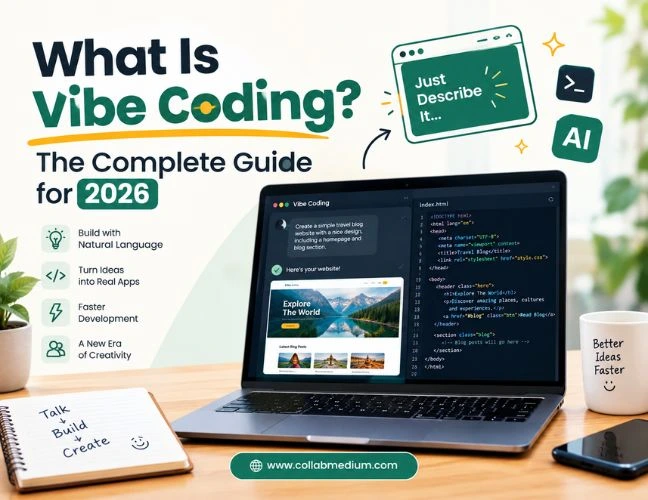
Vibe coding is the practice of building software by describing what you want in plain English and letting an AI model write the actual code. You prompt, the AI generates, you test the result, and you refine your wording until the app behaves the way you pictured it. This approach is not the same as traditional programming, and it is not magic either. It works best when you understand its limits as clearly as its power. This guide breaks down what the practice really means, how to learn it the easy way, which tools are worth your time, and the mistakes that turn a fun weekend project into a security headache.
What Is Vibe Coding?
If you are asking what is vibe coding for the first time, here is the short version. It means describing a feature, an app, or a fix in natural language and letting a large language model translate that request into working code. You stay in the driver’s seat by testing, tweaking, and re-prompting instead of typing every line yourself.
The term exploded in popularity after AI researcher Andrej Karpathy used it to describe building software almost entirely through prompts rather than manual syntax. Collins Dictionary later named it a Word of the Year contender because the behavior had become so common among both professional developers and total beginners. That single shift tells you everything about where software creation is heading in 2026.
This style of building is not the same thing as low-code or no-code platforms. Those tools use fixed templates and drag-and-drop blocks. Prompt-driven building uses open-ended natural language instead, which means the AI can create almost anything you can describe, including custom logic that a template builder simply cannot handle.
Why Vibe Coding Is Exploding in 2026
The numbers behind this shift are hard to ignore. Roughly 84% of developers worldwide now use or plan to use AI coding tools, a sharp jump from just a couple of years ago. Around 63% of people building software this way today have no formal programming background at all. That statistic alone explains why this approach has become the entry point for so many first-time builders.
Big companies are shifting too. AI now writes a meaningful share of new code inside major tech firms, and enterprise analysts expect that share to keep climbing through 2028. None of this means traditional coding skills are dead. It means the barrier to building something functional has dropped dramatically, and prompt-based development is the bridge that made that possible.
The Core Problem: Why So Many Vibe Coding Projects Fail Later
Here is the pattern I keep seeing. Someone opens an AI coding assistant, describes an app idea, and watches a working prototype appear in minutes. It feels incredible. Then three weeks later, the login page breaks, user data leaks through an unguarded endpoint, or the app simply cannot handle more than a handful of users at once.
The problem is rarely the AI itself. The problem is treating AI output as finished software instead of a first draft. Independent security benchmarks have found that a large share of AI-generated code samples fail basic security testing when checked against common vulnerability categories. Speed without review is where most regret in this space begins.
Another issue is scope creep inside a single prompt session. Beginners often ask the AI to add five features at once, then wonder why the app breaks in unrelated places. This method rewards small, testable steps far more than sprawling one-shot requests.
Vibe Coding Meaning in Practice
In practice, the meaning of this term shifts depending on who is using it. For a hobbyist, it means turning a weekend idea into a working app without hiring a developer. For a startup founder, it means validating a product concept before spending real engineering budget. For an experienced software engineer, it means offloading repetitive boilerplate so they can focus on architecture and logic that actually requires human judgment.
That range is exactly why this way of building has spread so fast. It flexes to the skill level of whoever is using it, which is rare for any technical practice.
How Can I Learn Vibe Coding the Right Way?
If you are wondering how you can learn this skill without a computer science degree, the good news is that the learning curve is genuinely gentle. You do not need to memorize syntax before you start. You need to understand how to describe problems clearly and how to read code well enough to catch obvious mistakes.
Start with a real project, even a small one. Build a personal budget tracker, a simple recipe organizer, or a landing page for a hobby. Vague prompts produce vague results, so practice describing exact behavior: what a button should do, what data a form should collect, how an error should display.
Pairing AI-generated code with a basic understanding of a real programming language dramatically improves your results. If you want a structured foundation to build on, our step-by-step beginner’s guide to learning C++ walks through core programming logic that transfers directly into reading and correcting AI-written code, even if you never write raw C++ day to day.
The Easiest Way to Learn Vibe Coding
The easiest way is to treat every session like a conversation with a very capable but occasionally wrong collaborator. Ask the AI to explain its own code back to you in plain language. This single habit catches more bugs than any other trick I have found.
Break big ideas into small requests. Ask for one feature, test it, then ask for the next one. Keep a running list of prompts that worked well so you can reuse effective phrasing. Watching a handful of build-along tutorials on platforms like YouTube also speeds up the learning curve, since seeing someone else’s prompting style teaches patterns that are hard to describe in text alone.
Does It Really Take Long to Learn Vibe Coding?
A common question beginners ask is whether this skill is easy to pick up compared to traditional programming. The honest answer is that the entry point is easy, but building genuinely reliable software still takes practice. You can produce a working prototype in your first afternoon. Producing a secure, maintainable application usually takes weeks of hands-on repetition, testing, and learning to spot when the AI has quietly introduced a flaw.
Think of it the way you would think of learning to cook with a recipe app. Following a recipe the first time is easy. Understanding why a dish works, adjusting seasoning on instinct, and fixing a recipe that goes wrong takes real experience. This practice follows the same curve.
AI Coding Tools and Platforms Worth Knowing in 2026
The AI coding landscape has matured fast, and picking the right platform shapes your entire experience. Here is a quick comparison of the tools most builders rely on today.
Popular Vibe Coding Tools Compared
| Tool | Best For | Key Strength | Pricing Model |
| GitHub Copilot | In-editor assistance | Deep IDE integration | Subscription |
| Cursor | Full app building | AI-native code editor | Freemium |
| Replit Agent | Fast prototyping | Instant hosting and deploy | Freemium |
| Claude Code | Complex logic and debugging | Strong reasoning on large codebases | Usage-based |
| Bolt.new | Non-developers | Browser-based, no setup | Freemium |
| v0 by Vercel | UI and frontend design | Clean component generation | Freemium |
Pricing and features change frequently, so always confirm current plans directly with each provider.
GitHub Copilot remains the most widely adopted assistant because it lives directly inside editors developers already use. Cursor and Replit Agent have become favorites for this workflow specifically because they let you describe an entire app rather than one function at a time. Claude Code tends to shine on larger, messier codebases where the AI needs to reason across many files at once rather than a single script.
If your prototype eventually needs a real backend framework instead of a quick demo, it helps to understand the options available. Our guide to choosing the best Python web framework breaks down which framework fits which type of project, which matters once your AI-generated prototype needs to scale into something production ready.
AI Coding Versus Traditional Coding: What Actually Changes
AI coding and traditional coding are not rivals so much as two ends of the same spectrum. Traditional coding demands that you understand syntax, data structures, and system design before you write a single working feature. AI coding front-loads the output and expects you to develop that same understanding while reviewing what the model produced.
The most effective builders in 2026 blend both approaches. They lean on AI coding for speed and boilerplate, then apply traditional programming knowledge to catch logic errors, security gaps, and performance bottlenecks the model cannot reliably self-check. Skipping traditional coding literacy entirely tends to cause a project to plateau quickly once it grows past a simple prototype.
Common Mistakes to Avoid With Vibe Coding
Trusting the first output without testing it. AI-generated code often looks correct and runs without errors, yet still contains logic flaws that only appear under real use.
Skipping version control. Save your work in Git from day one. AI tools sometimes rewrite working code while “fixing” something unrelated, and version history is your only safety net.
Ignoring security basics. Never let an AI-generated app handle real user passwords or payment data without a manual security review or a professional audit first.
Asking for too much in one prompt. Large, multi-feature requests produce tangled code that is hard to debug. Smaller requests are easier to verify and fix.
Forgetting to read the code at all. Even a basic read-through helps you learn patterns and catch obvious mistakes before they reach real users.
Pro Tips From Building Real Projects With Vibe Coding
Tip 1: Keep a prompt journal. Write down which phrasing produced clean, working code. Reusing proven prompts saves enormous time on future projects.
Tip 2: Ask the AI to write tests, not just features. Requesting basic test cases alongside new code catches regressions before they reach users.
Tip 3: Rebuild one small project without AI help. This single exercise teaches you more about your actual skill gaps than a dozen tutorials.
Tip 4: Use separate environments for experiments. Never test risky AI-generated changes directly on a live project or production database.
Tip 5: Review dependencies the AI installs. AI tools sometimes pull in outdated or unnecessary packages. A quick check keeps your project lean and secure.
Frequently Asked Questions
What is vibe coding?
It is the practice of building software by describing features in plain language and letting an AI model generate the code. The builder tests, refines, and re-prompts instead of writing every line manually.
How can I learn this skill without coding experience?
Start with a small real project and practice writing clear, specific prompts. Pairing this with basic programming fundamentals speeds up your progress significantly.
Is it easy to learn vibe coding?
Getting a basic prototype working is genuinely easy, often within your first session. Building secure, reliable software still takes weeks of practice and careful review.
Is vibe coding the same as AI coding?
It is a style of AI coding focused on natural-language prompting rather than manual syntax. AI coding is the broader category that also includes autocomplete and code-review assistants.