
I still remember opening my first how to learn C++ compiler. The blinking cursor felt like a dare. I typed a few lines, hit run, and watched an error message crush my confidence. That moment is common. Most beginners quit within the first week because nobody shows them a clear path forward.
This guide fixes that problem. I will walk you through exactly how to start, what to study first, and which free tools actually work. You will finish this article with a real plan instead of scattered YouTube tabs.
Why C++ Is Still Worth Your Time in 2026
C++ has powered software for over four decades. It still holds a top spot among programming languages today. According to the TIOBE Index, C++ ranks third among the world’s most popular programming languages, with roughly 9% market share in 2026. That places it just behind Python and C.
Game studios rely on it for performance. Financial firms use it for trading systems that need speed. Operating systems, browsers, and embedded devices all run on C++ code somewhere under the hood.
Where the Language Actually Gets Used
Adobe Photoshop runs on C++. So does most of the Windows operating system. Game engines like Unreal Engine are built almost entirely in C++. Even parts of Google Chrome and MySQL rely on it. Knowing this language opens doors across gaming, finance, robotics, and systems engineering.
My Straightforward C++ Roadmap for Beginners
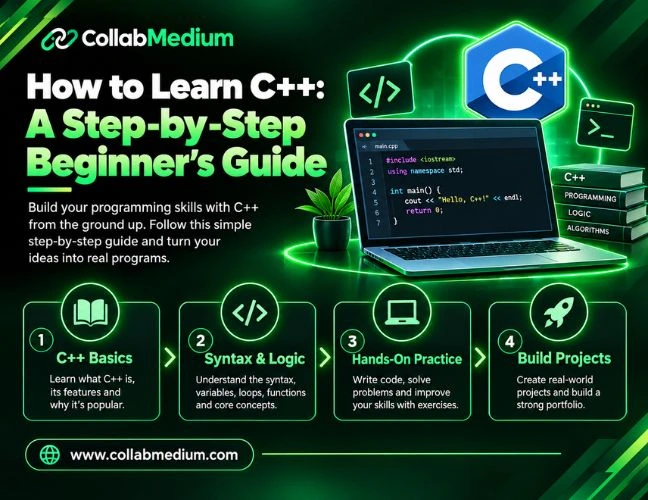
A clear roadmap saves you months of wasted effort. I built mine after watching too many beginners jump straight into advanced topics they were not ready for. Follow these stages in order.
Step 1: Master the C++ Basics First
Start with variables, data types, and simple input and output. Learn how loops and conditional statements control program flow. These fundamentals form the foundation for everything else you will build later.
Do not rush this stage. Spend real time writing small practice programs. A calculator, a number guessing game, or a simple to-do list app all work well here.
Step 2: Learn Functions and Memory Basics
Once the basics feel comfortable, move into functions, arrays, and pointers. Pointers confuse almost every beginner at first. Take your time and write small test programs to see how memory actually behaves.
Step 3: Study Object-Oriented Programming
C++ shines through object-oriented programming. Classes, objects, inheritance, and polymorphism let you build organized, reusable code. This stage usually takes longer than the basics, so give yourself patience here.
Step 4: Build Real Projects
Theory only gets you so far. Build a simple inventory tracker, a text-based game, or a basic calculator app. Real projects reveal gaps that tutorials never show you.
Best Free Ways to Learn C++ Online
You do not need an expensive bootcamp to get started. Several free platforms teach solid fundamentals if you use them consistently.
W3Schools offers a beginner-friendly, bite-sized C++ tutorial with an interactive code editor built right into the page. It works well for quick reference while you practice.
Coursera hosts university-backed courses on C++ from schools like Codio and UC Santa Cruz. Many of these courses offer free audit access, so you can watch every lecture without paying.
freeCodeCamp publishes full-length C++ courses on YouTube that run several hours long. These videos walk through real projects from start to finish.
LearnCpp.com remains one of the most detailed free written references available anywhere online. Serious learners often keep it bookmarked for years.
Comparing the Top Free C++ Learning Platforms
| Platform | Format | Best For | Cost |
| W3Schools | Interactive tutorial | Quick syntax reference | Free |
| Coursera | Video course | Structured university content | Free to audit |
| freeCodeCamp | Video course | Full project walkthroughs | Free |
| LearnCpp.com | Written guide | Deep, detailed explanations | Free |
| Codecademy | Interactive course | Guided hands-on practice | Free tier available |
If you already know how to learn coding in another language, C++ becomes easier. Our guide on how to learn coding breaks down habits that transfer directly into picking up C++ syntax faster.
Learning any complex skill also depends on consistency, not raw talent. The same daily practice principle applies whether you are studying a spoken language or a programming language. Our piece on how to learn English covers habit-building techniques that work just as well for coding practice schedules.
Common Mistakes Beginners Make
Skipping the fundamentals. Jumping straight into advanced templates before understanding loops sets you up for confusion later.
Copying code without understanding it. Typing out a tutorial solves nothing if you cannot explain why each line works.
Avoiding pointers out of fear. Pointers feel intimidating, but avoiding them only delays real understanding of memory management.
Learning alone without feedback. Beginners who never share code miss out on catching bad habits early.
Switching resources too often. Bouncing between five different courses in one month slows progress more than it helps.
Pro Tips From My Own Experience
Tip 1: Type every example by hand instead of copying and pasting. Muscle memory builds real understanding faster than passive reading.
Tip 2: Use an online compiler like Replit or OnlineGDB when you want to practice without installing software first.
Tip 3: Join a community like Stack Overflow or the r/cpp_questions subreddit. Getting feedback early prevents bad habits from settling in.
Tip 4: Read compiler error messages fully. Most beginners panic and skip past details that actually explain the fix.
Tip 5: Rebuild a finished project from scratch after a week. This second attempt reveals exactly what you actually retained.
Tools That Make the Process Smoother
Visual Studio Code with the C/C++ extension gives you a lightweight, beginner-friendly setup. CLion offers a more powerful paid option for larger projects. GDB remains the standard debugging tool for tracking down errors line by line.
Version control matters too. Learning basic Git commands early helps you track changes and avoid losing progress on bigger projects.
Setting a Realistic Study Schedule
Consistency beats intensity every time. Thirty focused minutes a day builds skill faster than one long weekend cram session. Block off the same time slot daily so practice becomes a habit, not a decision you make each morning.
Track your progress in a simple notebook or spreadsheet. Write down what confused you and revisit it a few days later. Most concepts click on the second or third pass, not the first.
Set small weekly goals instead of vague ones. “Finish the loops chapter” beats “get better at coding” because you can actually measure it. Small wins keep motivation high during the slower stretches.
Frequently Asked Questions
How long does it take to learn C++?
Most beginners reach a comfortable working level in three to six months with consistent daily practice. Mastering advanced topics like templates and memory management can take a year or longer of active coding.
What is C++ used for?
C++ powers game engines, operating systems, embedded devices, and high-frequency trading software. Its speed and control over memory make it ideal for performance-critical applications across many industries.
Is C++ a good first programming language?
C++ can work as a first language, though many beginners find Python easier to start with. C++ teaches deeper concepts about memory and performance that make later languages easier to understand.
Are free C++ courses good enough to get a job?
Free courses from Coursera and freeCodeCamp can build real skills. Pairing them with personal projects and a strong GitHub portfolio matters most to employers.