
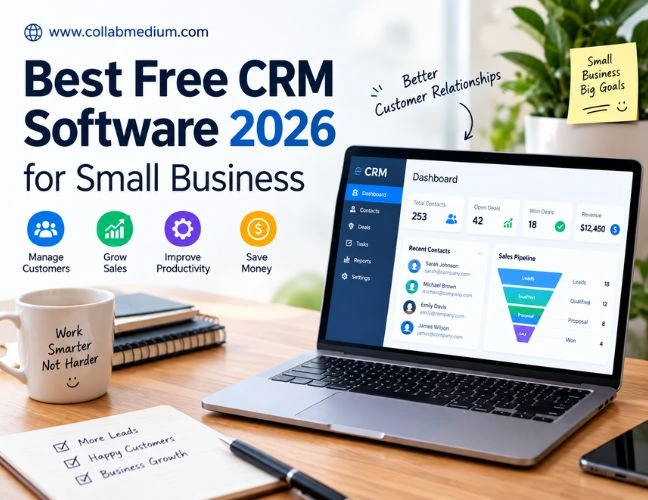
If you want a fast answer, here it is. The best free CRM software in 2026 gives small teams a real way to track leads and manage customer conversations. It helps you close more deals without paying for a license. HubSpot CRM, Zoho CRM Free, and Bitrix24 lead the pack for most small businesses right now. Each one handles contact management, pipeline tracking, and basic automation at zero cost, though every platform caps you somewhere once your team or your data grows.
I have tested and compared CRM platforms for small businesses for years. The same question comes up constantly. Owners want to know which tool is actually free, not just free for thirty days. This guide breaks down the best free CRM software available today, who each one fits, and how to avoid the mistakes that waste your time.
What Is the Best Free CRM Software in 2026?
People ask what is the best free CRM software almost every week, and the honest answer depends on your team size and your workflow. A true free CRM plan should include contact records, deal tracking, email logging, and at least basic reporting. Anything less is a stripped demo pretending to be a real product.
The best free CRM software for small business owners tends to share a few traits. It syncs cleanly with your inbox. It works on mobile. It does not lock your customer data behind a paywall the moment you want to export it. Keep those traits in mind as you compare options, since marketing pages often blur the line between free and free trial.
Which Is Best CRM for a Growing Team
Which is the best CRM really depends on what your team does every day. A solo consultant needs something lightweight. A five-person sales team needs shared pipelines and activity tracking. A customer support desk needs ticketing built into the same record as the sales history. There is no single best free CRM software for every situation, but there is usually a clear best fit once you define your priorities.
Why Finding the Best Free CRM in USA Markets Feels So Hard
Here is the problem most small business owners run into. They search for a free CRM option, click the first result, sign up, and import their contacts. Two weeks later they hit a wall. The free plan only allows a handful of users. Automation is locked behind a paid tier. Reporting looks great in the demo video but is missing entirely in the free version.
This happens because CRM vendors compete heavily for the best free CRM in USA search traffic, and free plans are built as lead generation for paid upgrades. That is not dishonest, but it does mean you need to read the fine print before you commit your customer data to a platform.
The stakes are real. Research shows that roughly 55% of businesses in the United States now use a CRM platform to manage customer relationships, and that share keeps climbing every year. If your business is not using one yet, you are already behind teams that are converting leads faster and forgetting fewer follow-ups.
The Real Cost of Picking the Wrong Free Plan
Switching CRM platforms later is expensive in time, not just money. You have to re-import contacts, rebuild pipelines, retrain your team, and reconnect every integration. Picking the right CRM platform for your actual needs on the first try saves you months of cleanup work down the road.
Practical Steps for Choosing the Best Free CRM Software
Start by counting your actual users. Most free plans cap seats between one and five people. If you already have six people touching customer records, you need to budget for a paid tier or choose a platform with a generous free user limit.
Next, map your sales process on paper before you touch any software. List every stage a lead moves through, from first contact to closed deal. Then check whether the platform lets you customize those exact stages. Rigid pipelines force your team to work around the tool instead of with it.
Check integration compatibility early. Most small businesses run on Google Workspace for email and file storage, so confirm the CRM connects directly to Gmail and Google Calendar. A platform that only integrates through a workaround will frustrate your team within the first month.
Look closely at contact limits too. Some platforms cap free accounts at 1,000 contacts, which sounds like plenty until your business starts running consistent lead generation campaigns tied to digital marketing efforts. If you already run paid ads or email campaigns, our breakdown of the best digital marketing tools is worth a look. It covers platforms that pair well with a lean CRM setup.
Matching the CRM to Customer Service and Support Needs
Sales tracking is only half the picture. Customer services and post-sale support depend on the same data your sales team collects. Look for a free plan that includes a shared inbox, basic ticketing, or at least visibility into support conversations tied to each contact record. Without that connection, your support team ends up guessing at the context your sales team already has.
Top Best Free CRM Software Options Worth Testing
Here is a side-by-side look at the platforms most small teams actually consider when comparing the best free CRM software on the market today.
Free CRM Software Options Compared: 2026
| Platform | Free Users | Free Contact Limit | Standout Free Feature | Best For |
| HubSpot CRM | Unlimited | 1,000,000 | Email tracking and templates | Overall small business use |
| Zoho CRM Free | 3 users | 5,000 | Workflow automation basics | Budget-conscious startups |
| Bitrix24 Free | Unlimited | 5,000 | Built-in tasks and chat | Team collaboration |
| Freshsales Free | Unlimited | Unlimited | Built-in phone and email | Sales-first small teams |
| Capsule CRM Free | 2 users | 250 | Simple pipeline view | Solo consultants |
| Insightly Free | 2 users | 2,500 | Project management tie-in | Service-based businesses |
Free plan limits change frequently. Always confirm current terms directly with each vendor before committing.
HubSpot CRM: The Most Complete Free CRM Pick
HubSpot CRM consistently ranks as the best free CRM software for small business teams that want room to grow. The free tier includes unlimited users, a genuinely usable pipeline view, and email tracking that shows when a prospect opens your message. HubSpot also connects natively with Gmail, Outlook, and Google Workspace without clunky workarounds.
The catch is scale. Advanced automation, custom reporting, and deeper marketing tools sit behind paid Hubs. For a small team just getting organized, though, the free plan alone often replaces a spreadsheet and a shared inbox entirely.
Zoho CRM Free: The Best Free CRM for Small Business on a Tight Budget
Zoho CRM Free supports up to three users at no cost, which fits a lot of very small teams. It includes lead scoring rules, basic workflow automation, and integration with the wider Zoho suite of business apps. If you already use Zoho Books or Zoho Desk, the free CRM tier plugs in without extra setup work.
The interface takes a little longer to learn than some competitors. Give your team a few days to adjust before judging the platform on first impressions.
Bitrix24: Built for Team Collaboration
Bitrix24 packs an unusual amount into its free plan. Unlimited users, task management, an internal chat tool, and basic CRM functionality all sit inside one dashboard. Teams that want project management and customer records in the same place tend to prefer Bitrix24 over more sales-only competitors.
The tradeoff is complexity. Because Bitrix24 tries to do so much, new users sometimes feel overwhelmed during the first setup session.
Common Mistakes to Avoid When Choosing a Free CRM
Ignoring the contact limit until you hit it. Many teams import their full contact list on day one, only to discover they blew past the free tier ceiling within the first month.
Skipping the mobile app test. A CRM that feels great on a desktop but clunky on a phone will get ignored by any team member who works from the field.
Choosing based on price alone. The cheapest option is not always the right fit for your workflow. A slightly more limited free plan that actually matches your sales process beats a generous plan your team refuses to use.
Forgetting to check data export rules. Confirm you can export your contacts and deal history at any time, since some vendors make leaving deliberately painful.
Skipping team input before deciding. The people using the CRM daily should weigh in before you commit. A tool picked by ownership alone often fails from lack of buy-in.
Tools and Platforms That Pair Well With a Free CRM
Most small businesses run their CRM alongside a handful of other tools. Google Workspace remains the backbone for email and scheduling, and nearly every strong free CRM integrates with it directly. LinkedIn Sales Navigator is another common pairing, especially for B2B teams prospecting new accounts before adding them to the CRM pipeline.
On the finance side, syncing your CRM with invoicing software keeps sales and billing data connected. If you run your own bookkeeping, our QuickBooks Self-Employed guide walks through pairing simple accounting software with the kind of lean tech stack most small businesses already use.
Management dashboards matter too. Once your team grows past a handful of people, look for a CRM that gives managers visibility into pipeline health without micromanaging every rep’s daily activity.
Pro Tips From Years of Testing Free CRM Platforms
Tip 1: Start with one pipeline, not five. Overbuilding your CRM structure on day one creates confusion. Add complexity only once your team has used the basic setup for a few weeks.
Tip 2: Import a small test batch first. Bring in fifty contacts before your full list. This lets you catch formatting issues before they multiply across thousands of records.
Tip 3: Set a calendar reminder to review contact limits. Free tiers fill up faster than expected once digital marketing campaigns start generating consistent leads.
Tip 4: Assign one internal owner for CRM questions. Someone on your team should become the go-to person for setup issues, so questions do not stall your rollout for weeks.
Tip 5: Revisit your choice every twelve months. The best free CRM software today might not be the best fit next year as your business grows and your needs shift.
Why the Right Free CRM Still Beats a Spreadsheet
A spreadsheet cannot send a follow-up reminder or log an email automatically. The best free CRM software handles both without extra effort from your team. It also keeps a full history of every customer interaction in one place, which matters enormously once more than one person touches a given account.
Choosing the best free CRM in USA markets ultimately comes down to matching a platform to your real workflow, not chasing the tool with the flashiest homepage. Test two or three finalists with real data before committing your whole team to one system.
Frequently Asked Questions
What is the best free CRM software for small businesses?
HubSpot CRM is widely considered the best free CRM software for small business teams because it offers unlimited users and strong email tracking. Zoho CRM Free and Bitrix24 are strong alternatives depending on your team size and workflow needs.
Which is the best CRM if my team has fewer than five people?
For teams under five people, Capsule CRM or Zoho CRM Free usually work well since both stay simple and affordable at that scale. Focus on ease of use over advanced features until your team grows larger.
Can I really use a free CRM long term?
Yes, many small businesses use free CRM plans for years without upgrading. You only need to pay once your contact volume, user count, or automation needs exceed what the free tier offers.
Does a free CRM integrate with Google Workspace and LinkedIn?
Most leading free CRM platforms integrate directly with Google Workspace for email and calendar syncing. LinkedIn integration is more common in paid tiers, though some platforms offer basic profile lookups for free.